7 Must-Have Features to Look for in Ministry Scheduling Software

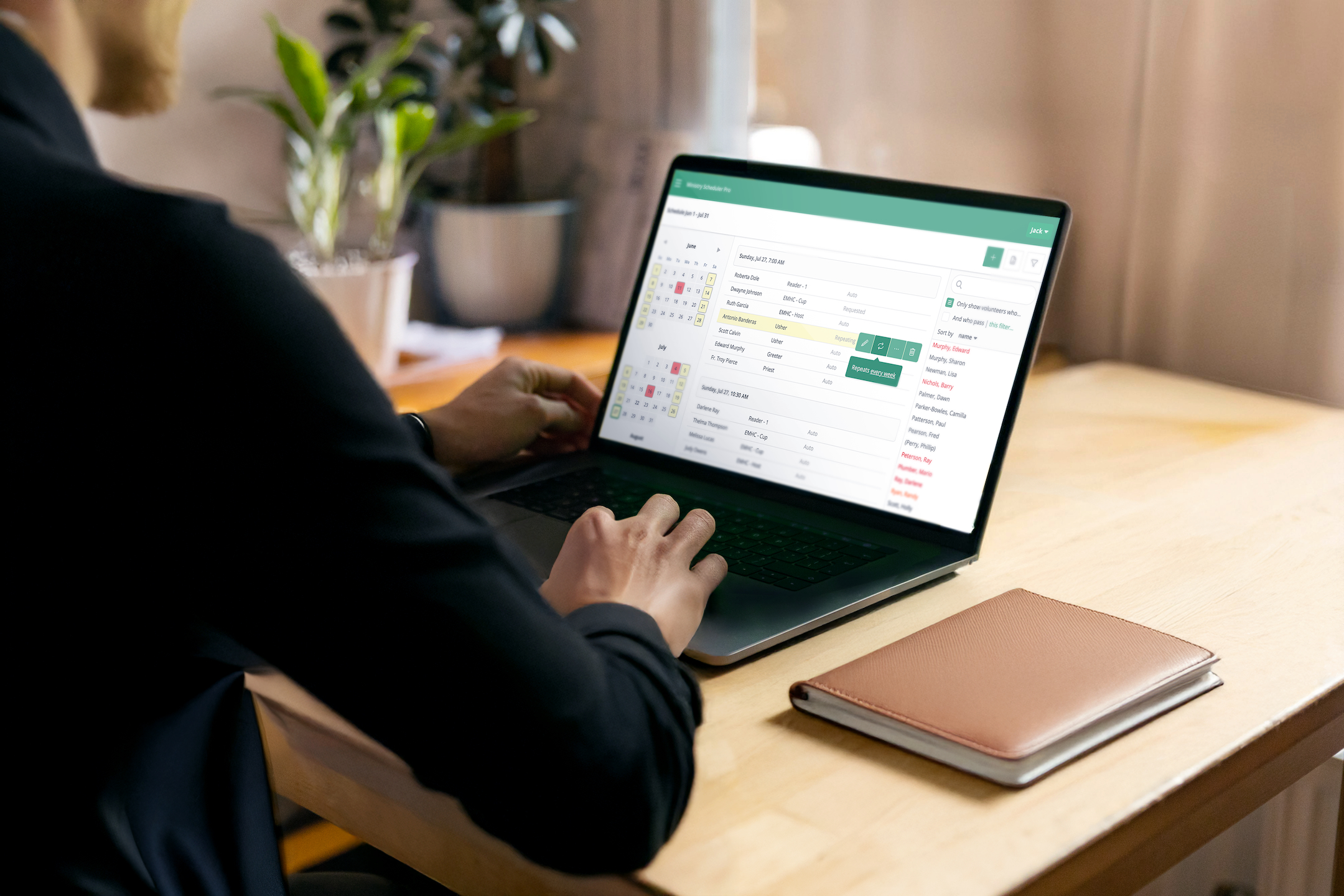
If you're wondering how to choose church scheduling software, the answer isn't just "find something digital." It's choosing a scheduling tool that actually reflects what churches need—one that's simple enough for both you and all of your volunteers to use.
Scheduling doesn't have to be complicated.
This guide walks through the most important church volunteer scheduling software features to look for—so you can compare options, save time, and make it easier for more people to serve.
Not all ministry scheduling tools offer these capabilities—and missing even one can create extra work for you and your volunteers.
1. A Smart Auto-Scheduler—Not Just A Rotation Tool
Look for:
An auto-scheduler that builds balanced schedules based on real ministry needs.
It should take into account:
- Volunteer availability and preferences
- Fair distribution of assignments
- Ministry qualifications
- Family groupings
- Special service needs
Why it matters:
This is what turns hours (or days) of work into minutes—while avoiding errors that are easy to make when scheduling manually.
In practice:
During Lent and especially Holy Week—Palm Sunday, Holy Thursday, Good Friday, Easter Vigil, and Easter Sunday—you're coordinating multiple services with different roles. MSP's auto-scheduler helps you build the entire schedule quickly and accurately.
2. Easy Volunteer Substitutions (No Middleman Needed)
Look for:
Software that allows volunteers to request their own subs, notify others, and fill available positions—without you having to coordinate every change.
Why it matters:
- Fewer last-minute texts and emails
- Less stress before Sunday
- More ownership from volunteers
In practice:
When plans change (and they will), volunteers handle swaps directly in Ministry Scheduler Pro.
3. Automatic Email and Text Reminders
Look for:
Email and text reminders sent automatically to volunteers before each assignment.
Why it matters:
- Volunteers always know when they're scheduled, reducing no-shows
- You save time not having to send reminders by hand
- Open positions get filled every week
In practice:
Ministry Scheduler Pro automatically sends personalized reminders before each assignment, plus a weekly email with a list of open positions—helping ensure every role is filled and every volunteer shows up prepared.
4. One Central Hub for Every Service (Yes, Even Holidays)
Look for:
A scheduling system that can handle weekly recurring services, special one-time events, and seasonal liturgies—all in one place.
Why it matters:
Church schedules aren't one-size-fits-all. As seasons change, so do your services, roles, and needs. Managing these in separate systems or spreadsheets quickly becomes confusing and time-consuming.
In practice:
Take Holy Week and Easter. In just one week, you may need:
- Palm distributors and procession volunteers on Palm Sunday
- Foot washers and thurifers on Maundy Thursday
- Passion readers and cross bearers on Good Friday
- Ministers to tend the fire and distribute candles at the Easter Vigil
- Extra greeters and ushers on Easter Sunday
The right church volunteer scheduling software lets you create these unique roles, keep everything organized in one place, and reuse the structure year after year—without starting from scratch.
5. Easy Access from Anywhere
Look for:
A system with online access and a free mobile app.
Why it matters:
Print-outs in the bulletin quickly become outdated, and missed updates lead to confusion—especially when swaps happen close to a service time. Remember, the best church scheduling software features aren't just powerful—they're accessible, so everyone can participate.
In practice:
Changes are reflected instantly in Ministry Scheduler Pro, so volunteers, staff, and ministry leaders always see current assignments.
6. Family-Friendly Scheduling
Look for:
The ability to group family members in the system—even if they serve in different ministries—and coordinate their schedules together.
Why it matters:
Managing family members separately creates extra work and makes it harder for busy households to stay involved.
In practice:
With Family Groupings, you can sync availability across a household, allow parents to receive reminders for children who serve, and schedule family members together—or separately—depending on what works best.
7. Attendance Tracking and Reporting
Look for:
A sign-in tool that tracks attendance and feeds into reports.
Why it matters:
Without clear data, it's hard to know who is going above and beyond, who may need a personal follow-up, and where you need more support.
In practice:
With the Sign-In Kiosk in Ministry Scheduler Pro, attendance is recorded automatically—so you can run reports, recognize volunteers who go above and beyond, and follow up with those who miss their assignments.
What Actually Matters When Choosing Scheduling Software
When doing a ministry scheduling software comparison or evaluating different options, it's easy to get lost in features.
But the real question is: does this software actually support your ministry—or create more work behind the scenes?
The right tool should save time, streamline communication, and grow participation.
Ministry Scheduler Pro was built specifically for churches—with input from thousands of ministry leaders—so it includes the features that matter most to churches, all in one place.
As you explore the best church scheduling software features or compare different ministry scheduling tools, look for a solution that thousands of churches already trust for their volunteer ministries.
Why Churches Choose Ministry Scheduler Pro
If you're researching church scheduling software, start a free trial and see for yourself how Ministry Scheduler Pro includes every must-have feature.

Subscribe to the Ministry Scheduler Pro MSP Blog
Get a behind-the-scenes scoop on what we're up to!
Subscribe to the MSP blog

You're subscribed! Thank you for your interest!
MORE POSTS
Cathedrals Across North America: 16 Remarkable Churches—and What They All Have in Common
READ ARTICLE